
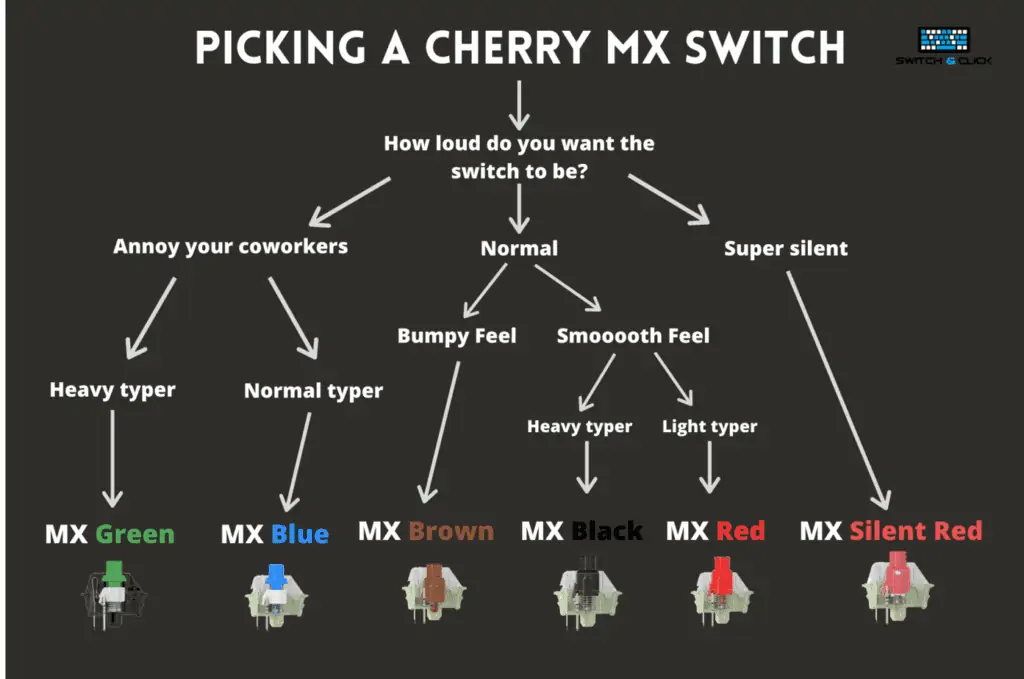
Cherry Switch Comparison
Choosing the right mechanical keyboard switch can significantly affect your typing speed, gaming performance, comfort, noise levels, and overall keyboard experience. Cherry MX switches are among the most established mechanical keyboard switches, offering different levels of tactile feedback, actuation force, travel distance, and audible feedback.
What are Cherry MX switches?
Cherry MX switches are individual mechanical switches installed underneath the keycaps of a keyboard. Unlike traditional membrane keyboards, mechanical keyboards use a separate switch mechanism for each key.
Each Cherry MX switch typically consists of a stem, spring, upper and lower housing, and electrical contacts. The stem color generally identifies the switch type and its operating characteristics.
Cherry MX switches are divided into three main categories:
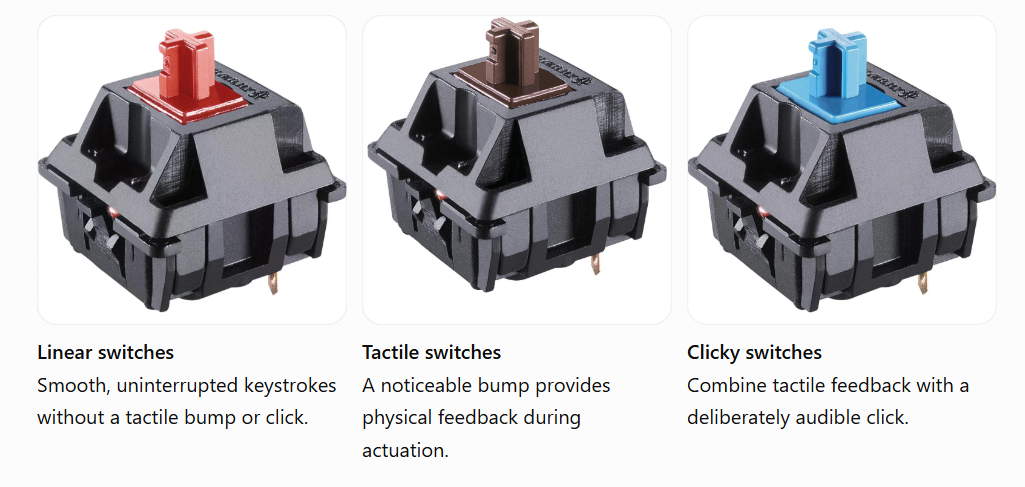
Cherry MX switch comparison chart
The following table compares the most popular full-height Cherry MX mechanical switches.
| Switch | Type | Actuation force | Actuation distance | Total travel |
|---|---|---|---|---|
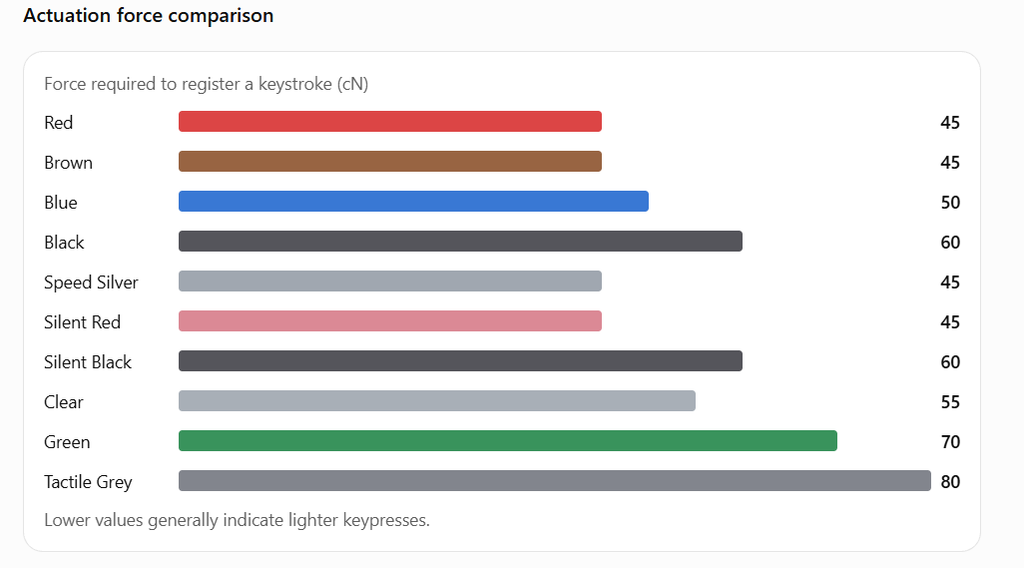
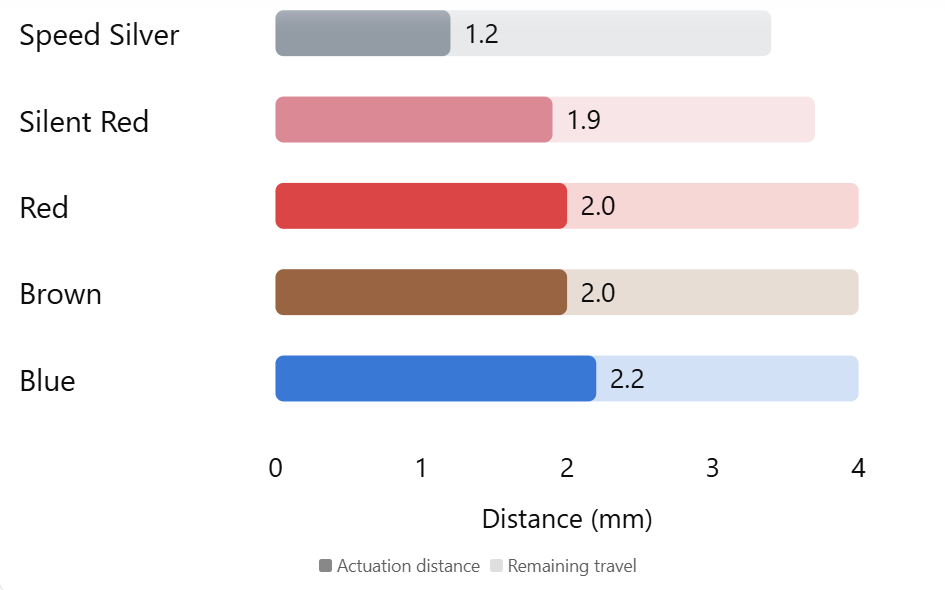
| MX Red | Linear | 45 cN | 2.0 mm | 4.0 mm |
| MX Black | Linear | 60 cN | 2.0 mm | 4.0 mm |
| MX Brown | Tactile | 45 cN | 2.0 mm | 4.0 mm |
| MX Blue | Clicky | 50 cN | 2.2 mm | 4.0 mm |
| MX Speed Silver | Linear | 45 cN | 1.2 mm | 3.4 mm |
| MX Silent Red | Silent linear | 45 cN | 1.9 mm | 3.7 mm |
| MX Silent Black | Silent linear | 60 cN | 1.9 mm | 3.7 mm |
| MX Clear | Tactile | 55 cN | 2.0 mm | 4.0 mm |
| MX Green | Clicky | 70 cN | 2.2 mm | 4.0 mm |
| MX Tactile Grey | Tactile | 80 cN | 2.0 mm | 4.0 mm |
Specifications are nominal and can vary by generation. Tactile switches also have a separate peak tactile force, which explains why Brown and Blue switches are frequently advertised as 55 cN and 60 cN, respectively. Википедия+3
Actuation force comparison
Actuation distance comparison
Cherry MX switches: individual reviews
Cherry MX Red
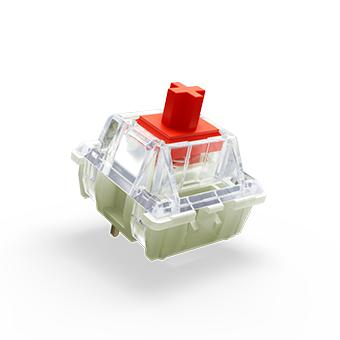
- Best for general gaming
Cherry MX Red switches offer light, smooth, consistent keystrokes without tactile resistance or an intentional click.
Verdict: An excellent choice for FPS games, action games and everyday gaming.
Cherry MX Brown
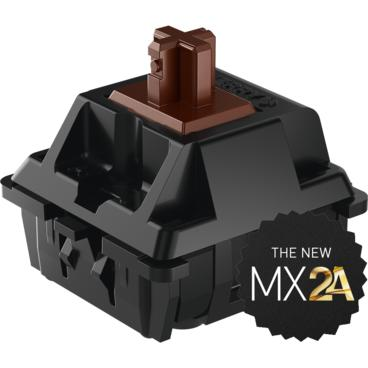
- Best all-around switch
Cherry MX Brown switches feature a subtle tactile bump without producing a deliberate clicking sound.
Verdict: One of the safest choices for users who regularly switch between gaming, typing and office work.
Cherry MX Blue
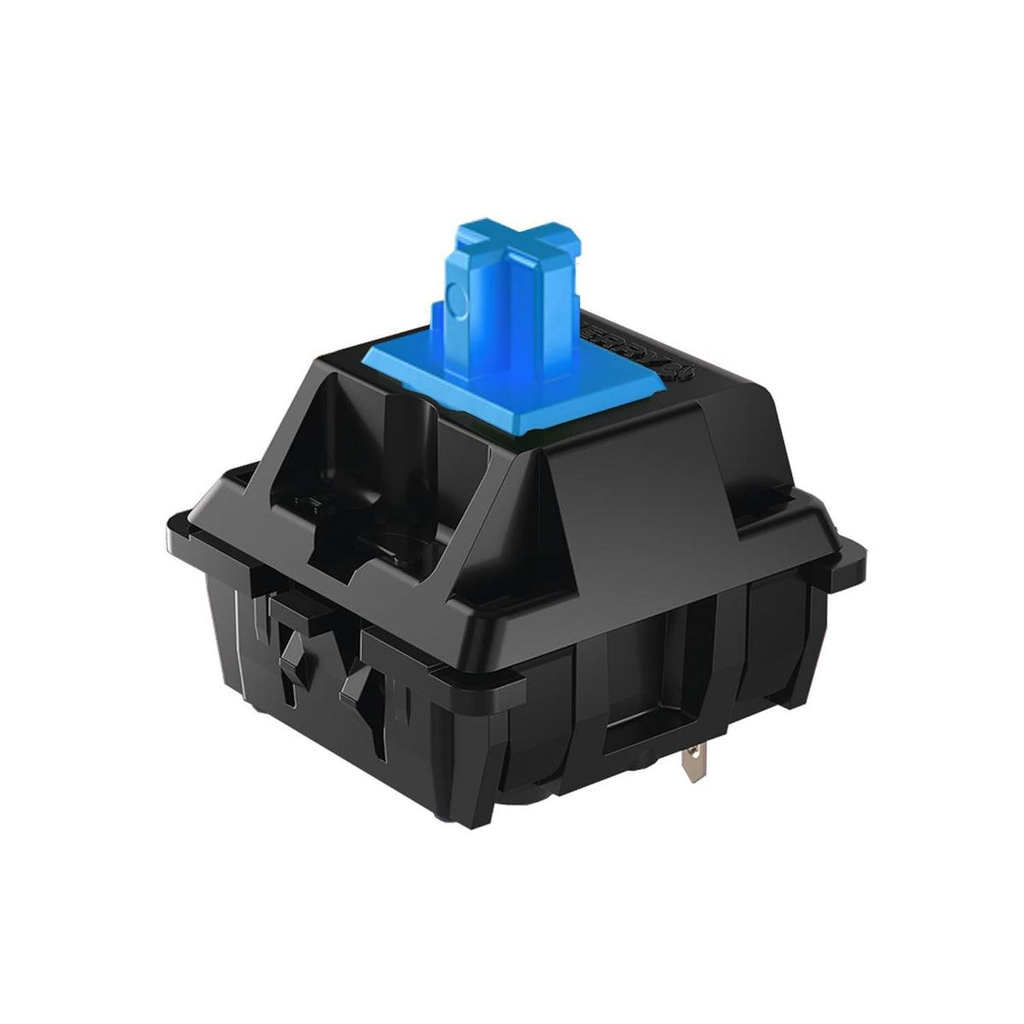
- Best for classic clicky typing
Cherry MX Blue switches deliver pronounced tactile feedback and a distinctive mechanical click.
Verdict: Great for writers and typing enthusiasts who enjoy audible feedback and work in a private environment.
Cherry MX Black
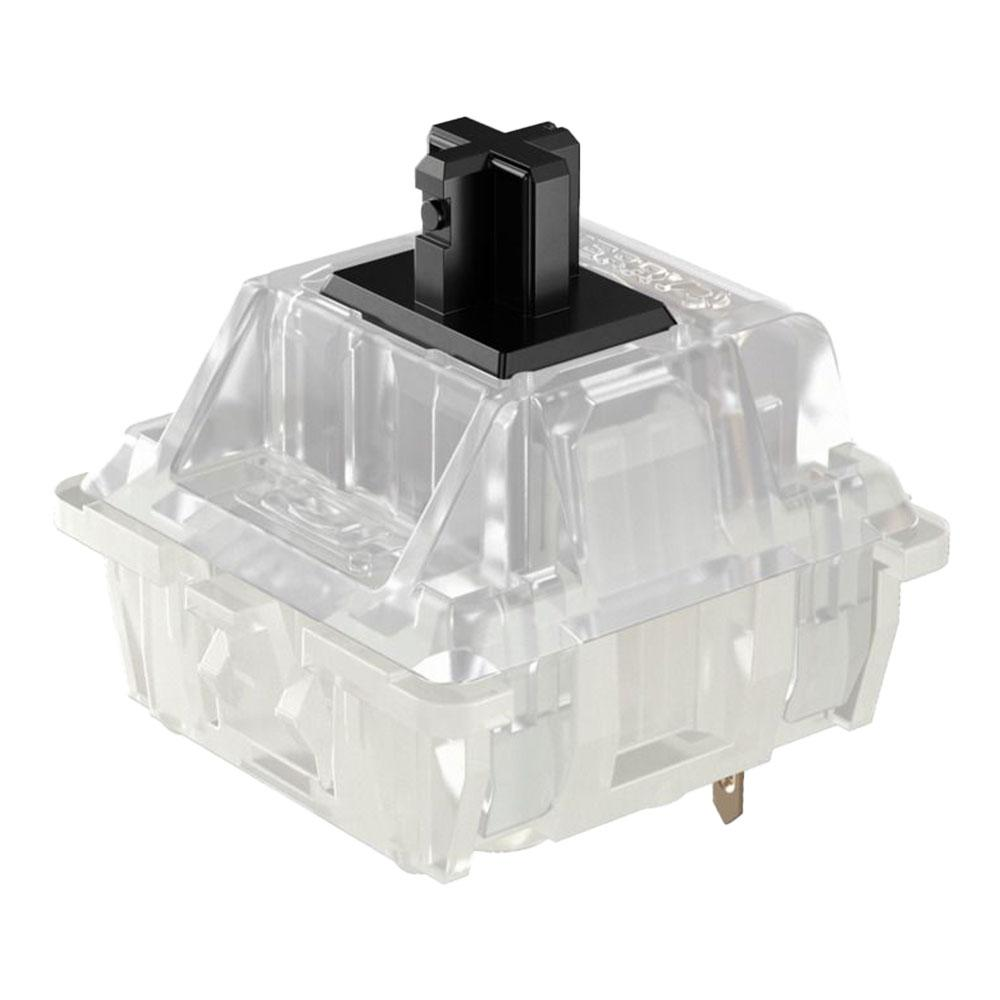
- Best for heavy-handed users
Cherry MX Black switches operate similarly to Reds but use a heavier spring that provides greater resistance.
Verdict: A reliable option for users who prefer firm, controlled keystrokes.
Cherry MX Speed Silver
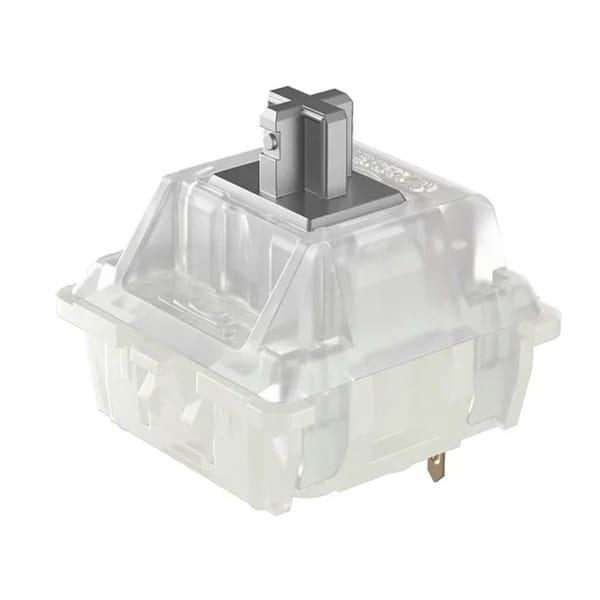
- Best for short actuation distance
Speed Silver switches register inputs after just 1.2 mm of movement, compared with 2.0 mm for standard MX Red switches.
Verdict: A compelling option for competitive gamers, although shorter actuation alone does not guarantee better gaming performance.
Cherry MX Silent Red
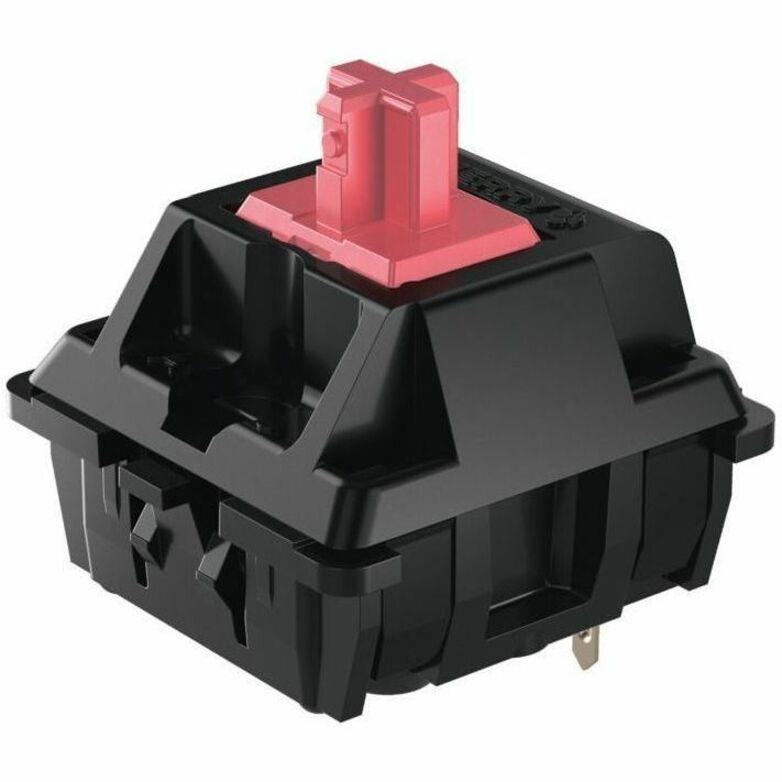
- Best for quiet gaming and office work
Silent Red switches incorporate internal dampening components that reduce noise during downward and upward key movement.
Verdict: One of the best Cherry switches for users who prioritize noise reduction.
Cherry MX Clear
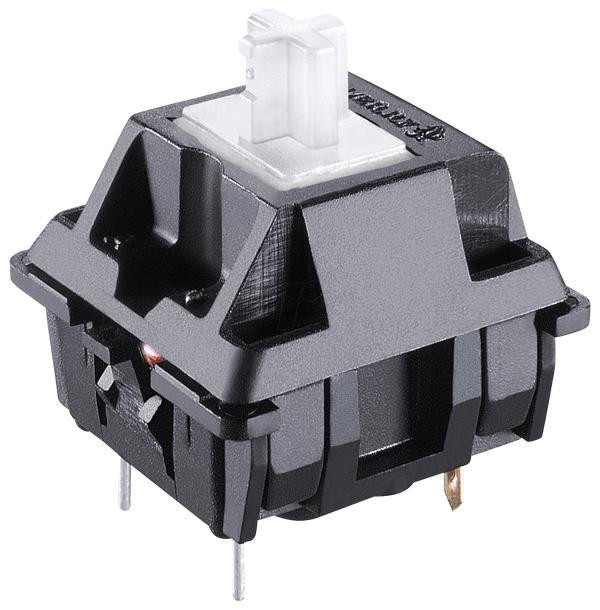
- Best for strong tactile feedback
Cherry MX Clear switches offer a more pronounced tactile experience and heavier overall resistance than MX Browns.
Verdict: An excellent alternative to MX Brown for users who want more noticeable tactile feedback.
Cherry MX Green
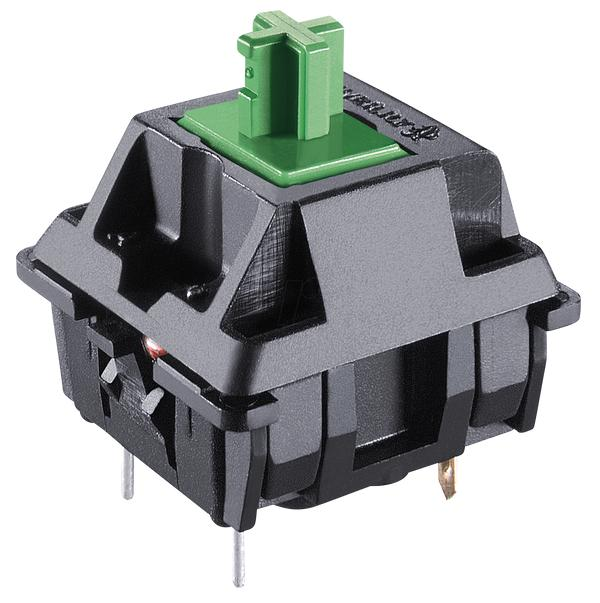
- Best for heavy clicky typing
Cherry MX Green switches combine an audible click with a heavier spring than MX Blue.
Verdict: A specialized switch for enthusiasts who enjoy heavy, clicky keyboards.
These assessments are based on manufacturer specifications and published switch reviews rather than original hands-on testing.
Other Cherry MX switches worth considering
Cherry offers several specialized switches beyond its traditional color-coded lineup.
| Switch | Type | Key advantage |
|---|---|---|
| MX Silent Black | Silent linear | Quiet operation with heavier resistance |
| MX Tactile Grey | Heavy tactile | Firm, deliberate keystrokes |
| MX Ergo Clear | Tactile | Pronounced feedback with reduced resistance compared with Clear |
| MX Purple | Tactile | Noticeable tactile feedback |
| MX Honey | Silent tactile | Tactile feedback with noise dampening |
| MX Northern Light | Silent linear | Smooth, quiet operation |
| MX Blossom | Linear | Extremely light 35 cN actuation |
| MX Falcon | Tactile | Strong, heavy tactile feedback |
| MX Black Clear-Top | Linear | Traditional mechanical feel |
The newer specialty switches are particularly interesting for custom keyboard enthusiasts who want more refined typing characteristics than standard Red, Brown or Blue switches provide.
Cherry MX switches noise comparison
Keyboard noise is an important consideration, especially if you work in a shared office, record videos, stream games, or use your computer at night.
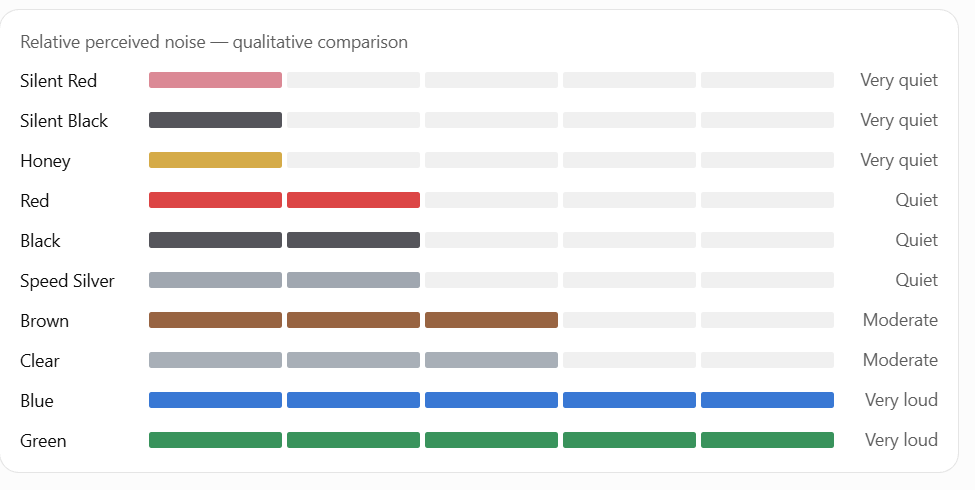
These are relative estimates rather than measured decibel ratings. Keyboard housing, mounting style, keycaps, stabilizers, desk surface and typing technique all influence actual sound levels.
Cherry MX Red vs. Brown vs. Blue
Red, Brown and Blue are the three most recognizable Cherry mechanical keyboard switches.
| Feature | MX Red | MX Brown | MX Blue |
|---|---|---|---|
| Switch type | Linear | Tactile | Clicky |
| Tactile bump | No | Yes | Yes |
| Audible click | No | No | Yes |
| Resistance | Light | Light–medium | Medium |
| Gaming | Excellent | Very good | Good |
| Typing | Good | Excellent | Excellent |
| Office use | Good | Very good | Poor |
| Noise | Low | Moderate | High |
| Beginner-friendly | Yes | Yes | Yes |
- Red vs. Brown: Choose Red for smooth movement and Brown if you want physical confirmation of your keystrokes.
- Brown vs. Blue: Both provide tactile feedback, but Brown is considerably more suitable for noise-sensitive environments.
- Red vs. Blue: These switches offer very different experiences. Red prioritizes smoothness, while Blue emphasizes physical and audible feedback.
Cherry MX vs. Cherry MX2A
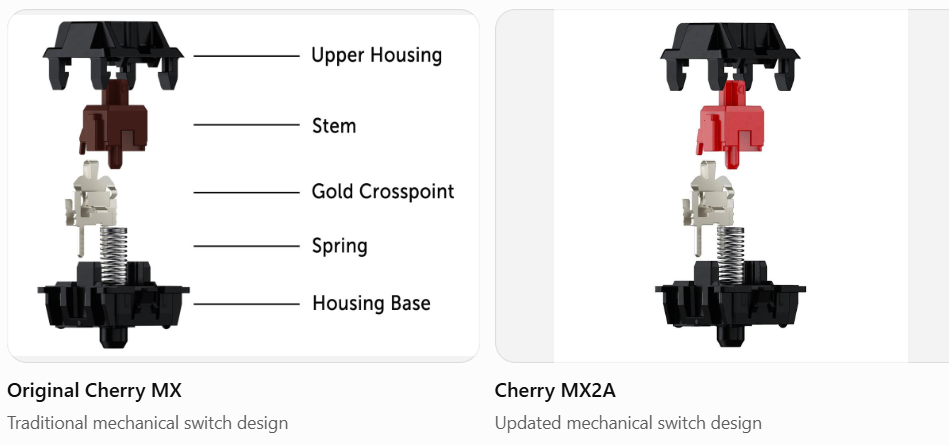
Introduced in 2023, Cherry MX2A represents an evolution of the original Cherry MX design.
| Feature | Original MX | MX2A |
|---|---|---|
| Spring design | Traditional cylindrical | Barrel-shaped on applicable models |
| Factory lubrication | Limited or model-dependent | Improved on applicable models |
| Friction | More noticeable | Generally reduced |
| Stem guidance | Traditional | Refined |
| Acoustics | Traditional mechanical sound | Improved on many models |
| Durability | Model-dependent | Up to 100+ million actuations on selected models |
MX2A Blue is an exception to some of these improvements because its click mechanism requires a different internal design.
Independent reviews have generally praised the improved smoothness of MX2A switches, although the differences are more noticeable on some models than others.
If you are purchasing a new Cherry-based keyboard, MX2A is generally the preferable generation.
Cherry MX standard vs. low-profile switches
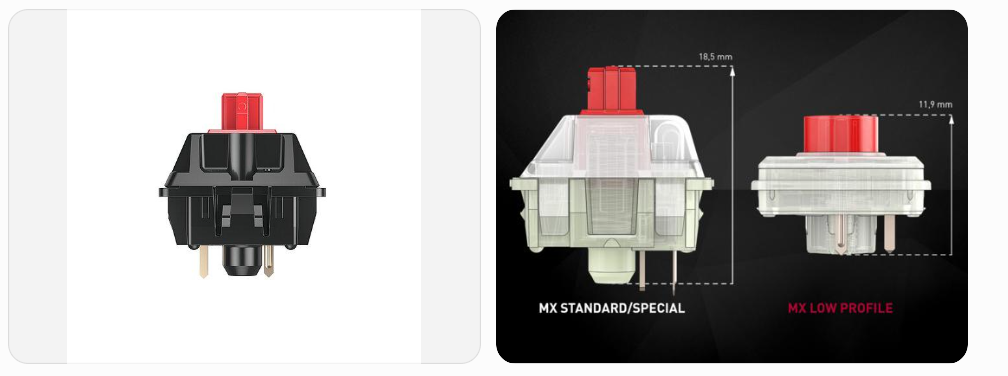
| Feature | Standard MX | Low Profile MX |
|---|---|---|
| Switch height | Taller | Shorter |
| Key travel | Typically 4 mm | Typically shorter |
| Typing experience | Traditional mechanical | Slimmer, shallower |
| Customization | Extensive | More limited |
| Ideal use | Desktop keyboards | Slim and portable keyboards |
Cherry also produces ultra-low-profile switches designed for exceptionally thin keyboards and laptops.
Standard, low-profile and ultra-low-profile switches are not generally interchangeable.
Best Cherry MX switches by purpose
| Purpose | Best choice | Alternative |
|---|---|---|
| Overall use | MX Brown | MX Ergo Clear |
| FPS gaming | MX Speed Silver | MX Red |
| Casual gaming | MX Red | MX Brown |
| Competitive gaming | MX Speed Silver | MX Red |
| Programming | MX Brown | MX Ergo Clear |
| Writing | MX Brown | MX Blue |
| Office work | MX Silent Red | MX Honey |
| Streaming | MX Silent Red | MX Northern Light |
| Quiet typing | MX Honey | MX Silent Red |
| Heavy-handed typing | MX Clear | MX Black |
| Strong tactile feedback | MX Falcon | MX Clear |
| Classic mechanical sound | MX Blue | MX Green |
| Lightweight typing | MX Blossom | MX Red |
| Beginners | MX Brown | MX Red |
Cherry MX vs. Gateron vs. Kailh
Cherry is not the only mechanical keyboard switch manufacturer. Gateron and Kailh also offer numerous alternatives.
| Feature | Cherry MX | Gateron | Kailh |
|---|---|---|---|
| Reliability | Excellent reputation | Model-dependent | Model-dependent |
| Smoothness | Good to very good | Often very smooth | Varies |
| Switch variety | Extensive | Extensive | Extensive |
| Price | Generally mid-range to premium | Budget to premium | Budget to premium |
| Signature technology | Gold Crosspoint contacts | Wide range of linear designs | BOX and click-bar designs |
| Ideal for | Traditional mechanical keyboards | Smooth typing and customization | Specialized tactile and clicky experiences |
Cherry MX remains a dependable choice, but competing manufacturers may offer better value or a more appealing feel depending on the specific switch.
What to consider before buying Cherry switches
Actuation force: Lightweight switches may reduce the effort required during extended typing sessions, while heavier switches can help prevent unintended inputs.
Tactile feedback: A tactile bump helps you recognize key movement without necessarily pressing the key all the way down.
Actuation distance: Shorter actuation distances register inputs earlier in the keypress, but can also make accidental inputs more common.
Noise levels: Choose Silent Red, Silent Black or Honey for noise-sensitive environments.
Keyboard compatibility: Check whether your keyboard supports three-pin or five-pin mechanical switches. Soldered keyboards require desoldering to replace switches, while compatible hot-swappable keyboards allow easier installation.
RGB compatibility: Transparent switch housings generally allow more light to pass through than opaque housings.
Durability: Many Cherry MX models are rated for more than 50 million or 100 million actuations, depending on the switch.
Personal comfort: A switch tester is an inexpensive way to experience several switch types before committing to a full keyboard. Cherry offers official MX Experience Boxes for this purpose.
Final verdict
Cherry MX switches continue to offer a reliable foundation for high-quality mechanical keyboards. Their extensive selection makes it possible to find a switch that matches almost any typing style, gaming preference or working environment.
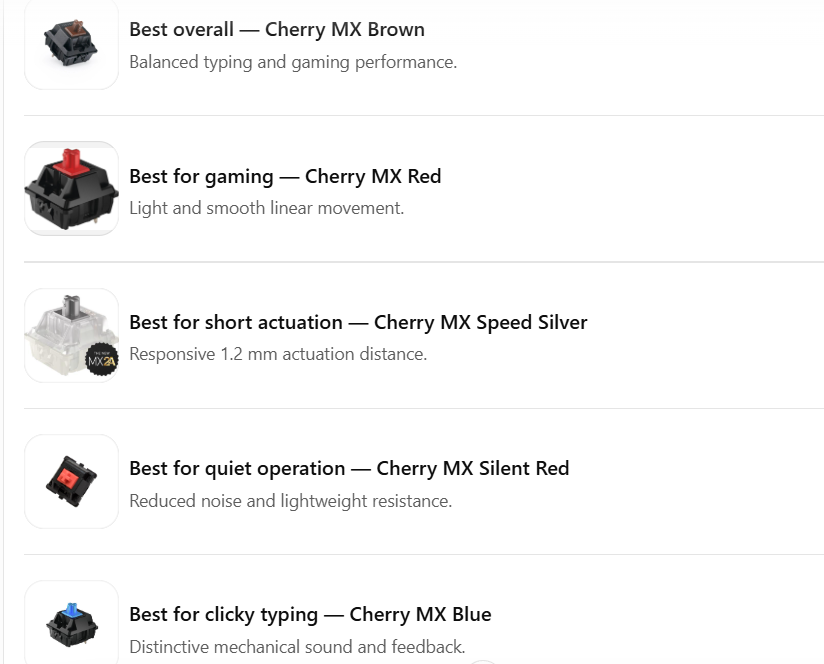
For most users, Cherry MX Brown offers the best balance, MX Red is ideal for general gaming, and MX Silent Red is an excellent choice for quiet environments. Ultimately, the best Cherry switch is the one that feels most natural and comfortable during everyday use.
READ ALSO: Best Web Scraping Tools

Hi, this is Masab, the Founder of PC Building Lab. I’m a PC enthusiast who loves to share the prior knowledge and experience that I have with computers. Well, troubleshooting computers is in my DNA, what else I could say….