
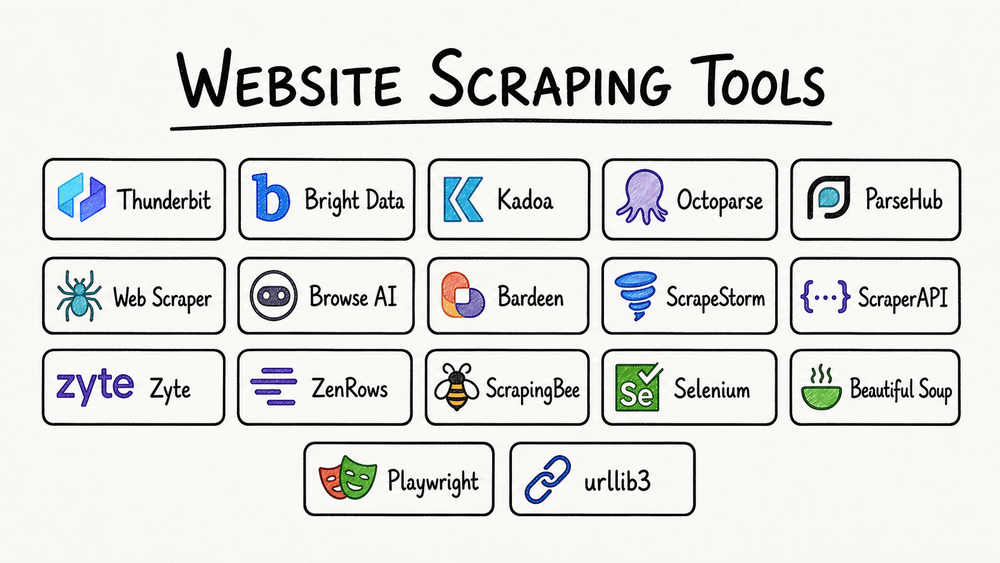
Best Web Scraping Tools
Web scraping tools make it possible to collect information from websites automatically, transforming web pages into structured, usable data. Whether you’re monitoring competitor prices, collecting leads, conducting market research, analyzing customer reviews, or building AI applications, choosing the right scraper can save hours of manual work.
However, not all web scraping tools are designed for the same purpose. Some are beginner-friendly, no-code platforms, while others offer sophisticated APIs, proxy management, JavaScript rendering, and enterprise-scale automation.
Best web scraping tools at a glance
The following recommendations are based on product capabilities, documentation, intended use cases, and published pricing—not independent benchmark testing.
| Tool | Best for | Starting price |
|---|---|---|
| Apify | All-in-one scraping platform | Free; $19/mo |
| Bright Data | Enterprise extraction and infrastructure | Free tier; usage-based |
| Octoparse | No-code scraping | Free; $83/mo monthly |
| ScrapingBee | Simple developer API | $49/mo |
| ScraperAPI | Proxies and managed requests | $49/mo |
| Firecrawl | AI agents, RAG and LLMs | Free; paid tiers |
| Zyte API | Scalable extraction | Pay as you go |
| ParseHub | Visual extraction workflows | Free; paid tiers |
| Scrapy | Custom Python crawlers | Free, open source |
| Playwright | Dynamic websites | Free, open source |
Prices are in USD, generally excluding taxes, infrastructure and optional usage charges. Some listed plans have annual-billing discounts. Source: official vendor pricing and documentation.
Apify
— All-in-one web scraping platform

Apify is a cloud-based platform that combines prebuilt web scrapers, customizable automation tools, data storage, scheduling, and integrations.
One of its main advantages is the Apify Store, where users can access ready-made scraping applications called Actors. These cover tasks such as extracting product information, collecting publicly accessible social media data, gathering search results, and crawling websites.
- Key features
- Extensive library of prebuilt Actors.
- Cloud execution and scheduled scraping jobs.
- JavaScript and Python development support.
- Proxy services and website-unblocking options.
- Dataset exports, API access, and workflow integrations.
- Tools for building custom scrapers and AI agents.
- Pricing
Apify offers a free plan with $5 in monthly usage credit. Paid plans start at $19/month for Starter, $199/month for Scale, and $999/month for Business. Additional usage can be billed separately, and Store Actors have their own pricing models.
- Verdict: A strong general-purpose choice for people who want ready-made solutions today but might need custom workflows later.
Bright Data
— Enterprise web data collection

Bright Data provides web access infrastructure, scraper APIs, proxy networks, browser automation, datasets, and managed data collection.
Its products are designed for demanding scraping workloads, especially projects involving many domains, geographic locations, or regularly updated data.
- Key features
- Datacenter, residential, ISP, and other proxy options.
- APIs for extracting data from specific websites.
- Automated handling of common access challenges.
- Browser-based access for interactive sites.
- Structured data delivery and managed pipelines.
- Enterprise support and integration options.
- Pricing
Bright Data’s Web Scraper API currently advertises a free tier of 5,000 records per month, pay-as-you-go pricing at $1.50 per 1,000 records, and a Scale plan at $499/month with 384,000 included records. Its other products have separate billing models.
- Verdict: Particularly suitable for organizations that need to manage large, recurring data-collection workloads across many websites.
Octoparse
— No-code web scraping for beginners

Octoparse is a visual web scraping tool that lets users create extraction workflows without writing Python or JavaScript.
Instead of programming selectors manually, users interact with web pages in a graphical interface to select elements and define how information should be collected.
- Key features
- Point-and-click data extraction.
- Templates for common websites.
- Pagination, scrolling, and navigation workflows.
- Scheduled cloud extraction on paid plans.
- Exports to formats such as Excel, CSV, and JSON.
- Proxy and CAPTCHA-related features on appropriate plans.
- Pricing
The free version supports up to 10 scraping tasks and 50,000 exported rows monthly, with local extraction. Standard begins at $83/month with monthly billing, or $69/month when billed annually. Professional costs $299/month or $249/month with annual billing.
- Verdict: A practical option for marketers, analysts, small business owners, and researchers who want to extract data without hiring a developer.
ScrapingBee
— Straightforward scraping API

ScrapingBee focuses on simplifying the technical work required to retrieve web pages. Developers can send requests through its API instead of maintaining their own proxy infrastructure and browser fleet.
It’s useful for applications that already have extraction logic but need a managed layer for page retrieval.
- Key features
- API-based page retrieval.
- JavaScript rendering.
- Proxy management.
- Geolocation options.
- Screenshots and browser-based features.
- Integration with custom Python and JavaScript workflows.
- Pricing
The Freelance plan costs $49/month and advertises 250,000 API credits. Startup costs $99/month and Business costs $249/month. Importantly, API credits are not necessarily equivalent to scraped pages: advanced requests can consume multiple credits.
- Verdict: Worth considering when developers need a simple way to access website content through an API.
ScraperAPI
— Managed proxies and scraping requests

ScraperAPI is designed for developers who want to retrieve web content without building and maintaining an extensive proxy network.
It handles common infrastructure challenges such as IP rotation and request management, allowing developers to concentrate on collecting and processing data.
- Key features
- Automated proxy rotation.
- Geographic targeting.
- JavaScript rendering.
- Support for concurrent requests.
- Structured-data extraction features.
- APIs for crawler and data pipeline integrations.
- Pricing
The Hobby plan costs $49/month and includes 100,000 API credits. Startup costs $149/month and includes 1 million API credits. A seven-day trial with 5,000 credits is also available.
- Verdict: An option for developers who need reliable request infrastructure rather than a complete visual scraping application.
Firecrawl
— Web scraping for AI applications

Firecrawl focuses on converting websites into formats that work well with large language models, AI agents, search systems, and retrieval-augmented generation (RAG).
Rather than concentrating exclusively on raw HTML extraction, Firecrawl provides workflows for obtaining readable content and structured information.
- Key features
- Website crawling and page discovery.
- Markdown-friendly content extraction.
- Structured JSON output.
- Search and website mapping.
- Browser interactions.
- Integrations with AI applications.
- Pricing
Firecrawl provides 1,000 free credits per month. Hobby costs $19/month with monthly billing or $16/month when billed annually, providing 5,000 monthly credits. Standard begins at $83/month with annual billing and provides 100,000 monthly credits. Basic page scraping generally consumes one credit per page, while advanced formats can use additional credits.
Pros: Convenient outputs for LLMs, simple API usage, site-wide crawling, and useful structured extraction.
Zyte API
— Flexible large-scale extraction

Zyte provides a managed scraping API alongside data extraction services and tools associated with the Scrapy ecosystem.
Its API combines page retrieval, browser rendering, proxy management, and other extraction capabilities. Pricing adjusts according to the difficulty of retrieving content from specific websites.
- Key features
- Automated proxy selection and rotation.
- Browser-based JavaScript rendering.
- Structured-data extraction.
- Country-specific retrieval options.
- Session handling and browser actions.
- Integration with custom crawlers.
- Pricing
Zyte offers pay-as-you-go billing with prices depending on the target website and request type. Its published unrendered HTTP rates range from $0.13 to $1.27 per 1,000 requests, while rendered browser requests range from approximately $1.01 to $16.08 per 1,000 requests. Certain extraction features cost extra. New accounts receive $5 in trial credit.
- Verdict: Suitable for teams handling varied websites and wanting to reduce the operational burden of managing their scraping infrastructure.
ParseHub
— Visual data extraction

ParseHub is a desktop-oriented visual web scraping application intended to help users collect web data without extensive programming knowledge.
Users construct projects by selecting elements, defining navigation actions, and specifying how data should be extracted.
- Key features
- Point-and-click scraping.
- Multi-page navigation.
- Support for many dynamic websites.
- Conditional workflow actions.
- Structured exports.
- Cloud-based capabilities on applicable plans.
- Pricing
ParseHub offers free and paid options. Its paid pricing and limits should be confirmed directly before purchase, as I could not reliably verify its current plan details.
- Verdict: Worth evaluating for non-developers who prefer building extraction workflows visually.
Scrapy
— Open-source Python framework

Scrapy is a free, open-source Python framework for creating custom web crawlers and extraction pipelines.
Unlike hosted scraping services, Scrapy gives developers direct control over requests, parsing, crawling logic, data validation, and storage.
- Key features
- Asynchronous page crawling.
- CSS and XPath selectors.
- Custom extraction pipelines.
- Request scheduling and concurrency controls.
- CSV and JSON exports.
- Extensions for monitoring, browser rendering, and other functions.
Scrapy is actively maintained, with version 2.19.0 released in September 2026.
- Pricing
The framework itself is free. However, server hosting, proxy services, engineering time, and maintenance may introduce additional costs.
- Verdict: A particularly practical choice for Python developers building reusable extraction systems and custom data pipelines.
- Example: Basic Scrapy spider
import scrapyclass ProductSpider(scrapy.Spider): name = "products" start_urls = [ "https://example.com/products" ] def parse(self, response): for product in response.css(".product"): yield { "name": product.css( ".name::text" ).get(), "price": product.css( ".price::text" ).get() }This illustrates how Scrapy extracts fields from HTML elements. The selectors and URL are placeholders that must be adapted to an actual website.
Playwright
— Browser automation for dynamic websites

Playwright is an open-source browser automation framework rather than a dedicated managed scraping service.
It supports Chromium, Firefox, and WebKit and offers libraries for JavaScript, TypeScript, Python, Java, and .NET.
Playwright can interact with modern websites that depend heavily on JavaScript, including applications requiring clicks, scrolling, navigation, or dynamically rendered content.
- Key features
- Real-browser interaction.
- Dynamic JavaScript rendering.
- Automated clicking, scrolling, and navigation.
- Screenshots and browser inspection.
- Session and cookie handling.
- Integration into custom applications.
- Pricing
Playwright itself is free and open source. Hosting, browser compute, and other infrastructure expenses are separate.
Pros: Highly customizable, supports interactive websites, offers browser-level control, and integrates into multiple programming environments.
Cons: Requires coding, browser execution consumes resources, and scheduling, proxy management, data storage, and monitoring must be arranged separately.
Verdict: Particularly useful when a website cannot be scraped effectively using conventional HTTP requests alone.
How to choose the right web scraping tool
The right tool depends more on your workflow than on the number of features advertised.
1. Determine your technical experience
For beginners, a visual interface is usually easier to learn than a full programming framework.
Developers can benefit from tools that offer greater control over requests, retries, extraction rules, and data pipelines.
2. Identify the websites you need to scrape
Simple HTML websites usually require less sophisticated technology.
Modern JavaScript applications may require browser rendering or additional interaction. Protected sites can involve more complexity, expense, and compliance considerations.
3. Estimate the collection volume
The difference between collecting 1,000 pages monthly and 1 million pages daily is substantial.
A low-cost tool for small workloads may become expensive when scaled, particularly when advanced requests consume multiple credits.
4. Consider automation and maintenance
A successful scraper is not just one that retrieves content once. Reliable production systems need to handle website changes, errors, incomplete records, and recurring jobs.
5. Evaluate output requirements
Some projects require simple CSV files, while others need structured JSON, database integrations, cloud storage, or Markdown content suitable for AI applications.
Feature comparison
This table summarizes typical supported capabilities. Some functions require specific plans, extensions, custom development, or additional services.
| Tool | No-code interface | JS rendering | Managed infrastructure | AI-oriented extraction |
|---|---|---|---|---|
| Apify | Partial | Yes | Yes | Yes |
| Bright Data | Partial | Yes | Yes | Yes |
| Octoparse | Yes | Yes | Yes, paid | Limited |
| ScrapingBee | Limited | Yes | Yes | Partial |
| ScraperAPI | Limited | Yes | Yes | Partial |
| Firecrawl | Limited | Yes | Yes | Yes |
| Zyte | Limited | Yes | Yes | Yes |
| ParseHub | Yes | Yes | Partial | Limited |
| Scrapy | No | Via extensions | No | Via integrations |
| Playwright | No | Yes | No | Via integrations |
Understanding web scraping costs
Subscription price alone does not accurately reflect total cost.
Common billing models include per-request charging, API credits, successfully extracted records, compute time, proxy bandwidth, and fixed monthly subscriptions.
For example, two tools may both advertise 100,000 monthly credits, yet produce very different amounts of usable data.
A more meaningful comparison is:
\[ \text{Cost per 1,000 records} = \frac{\text{Total monthly cost}}{\text{Usable records}}\times1000 \]
Consider this illustrative example:
| Monthly expense | Valid records | Cost per 1,000 |
|---|---|---|
| $49 | 20,000 | $2.45 |
| $99 | 60,000 | $1.65 |
| $249 | 200,000 | $1.25 |
These are hypothetical calculations, not vendor benchmarks.
Remember that a successful HTTP response is not necessarily a successfully extracted record. Websites can return incomplete data, unexpected page layouts, or error messages embedded in otherwise successful responses.
To calculate realistic costs, test the actual target domains and measure how many useful records your system collects.
Practical recommendations by use case

E-commerce and competitor monitoring
Consider Apify, Bright Data, or Zyte. These products support recurring data collection and can be integrated into price-monitoring or catalog-tracking pipelines.

Business users without programming experience
Consider Octoparse or ParseHub. Visual selection and export features are useful for occasional market research and structured collection.

Custom development projects
Consider Scrapy, Playwright, ScrapingBee, or ScraperAPI depending on whether you need a crawling framework, browser interactions, or managed request infrastructure.

AI, RAG, and knowledge-base applications
Consider Firecrawl or Apify. Their extraction workflows can help prepare website content for indexing, structured processing, and AI retrieval.
Web scraping: legal and ethical considerations
Web scraping is used for legitimate business analytics, research, indexing, and automation. However, the rules governing a particular project depend on the jurisdiction, target website, type of information, and how the resulting data will be used.
Before starting a scraping project, consider these precautions:
- Check the website’s terms and applicable law. Public accessibility does not automatically authorize every form of collection or reuse.
- Protect personal information. Privacy rules such as the GDPR may apply even when information appears on publicly accessible pages.
- Respect access limits. Use appropriate request rates and avoid putting unnecessary load on websites.
- Consider
robots.txt. It communicates crawler preferences, though its legal status varies by context. - Protect confidential data. Avoid collecting credentials, private communications, or restricted information without authorization.
- Respect intellectual property rights. Permission to access material does not necessarily include permission to redistribute it.
Using a proxy or scraping API does not eliminate these responsibilities.
Final comparison: Which tool should you choose?
For a broad scraping workflow involving both ready-made and custom scrapers, Apify offers a flexible platform. For enterprise data collection, Bright Data and Zyte provide extensive managed infrastructure. For people who prefer a visual interface, Octoparse and ParseHub offer no-code approaches.
ScrapingBee and ScraperAPI are worth evaluating when you already have application code and need to simplify page retrieval. Firecrawl is oriented toward AI-ready content, while Scrapy and Playwright give developers direct control over their extraction logic and infrastructure.
One pricing clarification is worth highlighting: ScrapingBee also offers a $19/month Hobby plan, below the $49 Freelance tier discussed above. Firecrawl’s Hobby plan is likewise $19/month with monthly billing.
Before committing to a paid platform, run a small pilot on representative websites. Compare actual extraction completeness, ongoing maintenance, response times, and cost per valid record. That evidence is more valuable than feature counts or advertised request allowances when selecting a web scraping solution for production use.
READ ALSO: How to Fix cpu fan?

Hi, this is Masab, the Founder of PC Building Lab. I’m a PC enthusiast who loves to share the prior knowledge and experience that I have with computers. Well, troubleshooting computers is in my DNA, what else I could say….